Sarvita

The design system for Sarvita.

Mineral and quiet on the bed; warm and saturated in the illustrations. One palette, one type system, one set of rules across the iOS app, sarvita.app, and video content. No cross-fade gradients in UI chrome — flat solid colors only, with the mascot doing the colorful talking.

00 — Brand

The marks.

The wordmark, the app icon, and Sar — the three things people recognize before they read a word. Each has rules about size, surface, and clearance.

Wordmark
Sarvita

General Sans Semibold, slate ink, paired with the app-icon mark sized at ~1.15× the cap height. Clearance = height of the "S". Don't recolor the text. The mark and text move together as one unit.

App icon
Sarvita app icon
on iOS
Sarvita app icon source, unmasked
source 1024²

Source is logo-appicon.png — a true square 1024×1024, chalk fills edge-to-edge, no transparency, no baked rounded corners (iOS applies the mask at display time). Mark inset ~12–15% for safe zone. Submit as-is to App Store Connect.

Sar
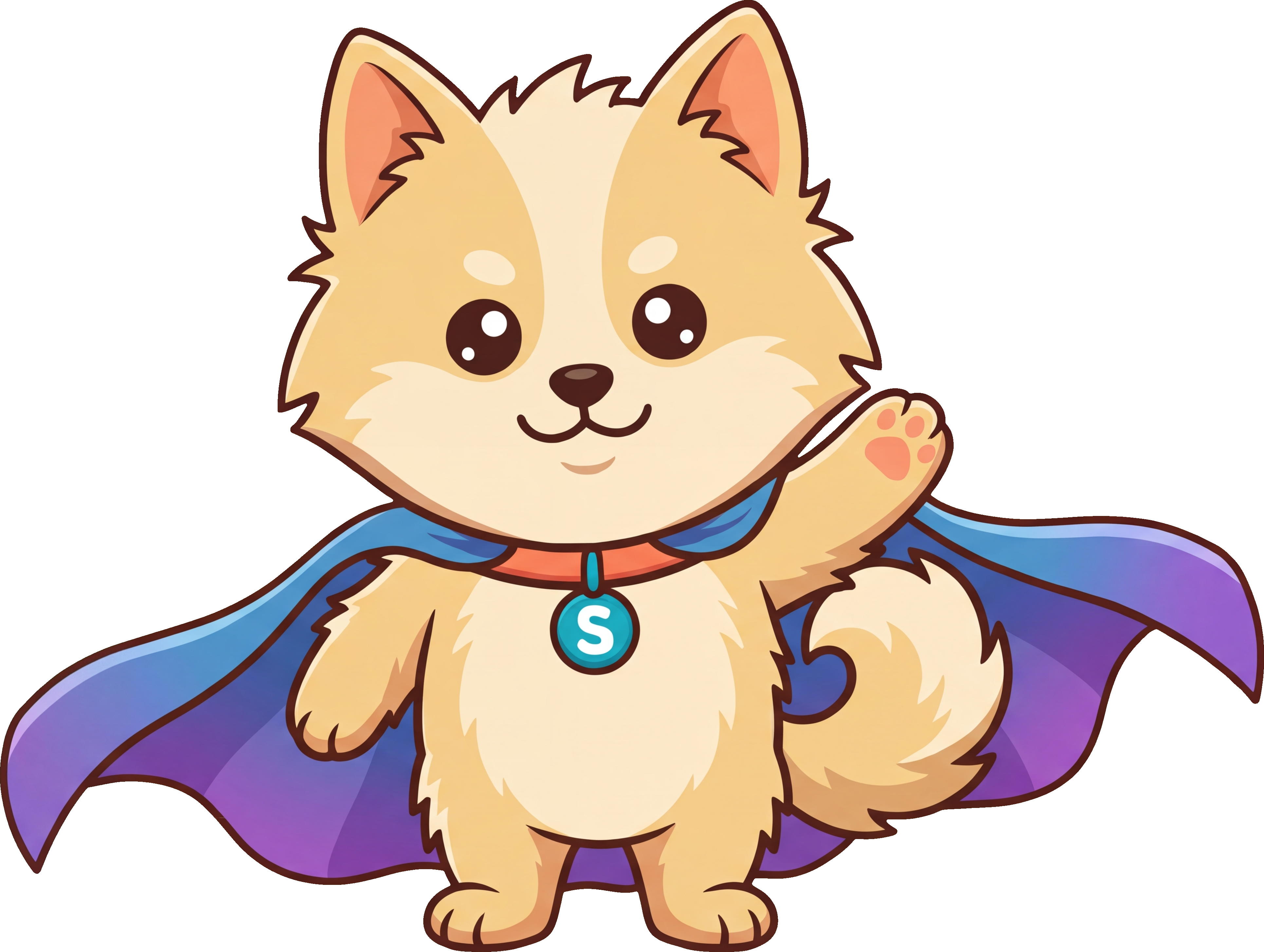
Sar, the hero

Cream Pomeranian, blue-violet cape, citrine "S" tag. The cape ties Sar visually to the cool side of the palette (lapis, amethyst). The warm fur ties to copper / rust / citrine. Place on chalk or snow — never on a saturated pillar surface.

Asset library

The full Sar set (40+ poses: hero, wave, chef, scientist, sleeping, coaching, yoga, …) lives in the iOS asset catalog at sar/Assets.xcassets/Mascot/. Path node illustrations are at sar/Assets.xcassets/PathNodes/. All are alpha-transparent PNGs — drop them onto any palette surface and they sit cleanly.

01 — Palette

Four tiers, cool bed.

Click any swatch to copy its hex. Tier 1 covers ~90% of pixels. The data-viz tiers exist because the app has real distinct concepts — pillars, macros, heart-rate zones — that each need their own coherent mineral ramp.

Tier 1 — Surfaces & text

Cool chalk, slate ink, no warmth. Quiet bed for the warm illustrations.

chalk
#ECECE6
App background
snow
#F6F6F2
Cards
pumice
#DEDFD8
Soft surfaces
slate
#14181C
Primary text
graphite
#4F5560
Secondary text
pebble
#9AA0A6
Disabled
ash
#D6D7D1
Borders

Tier 2 — Anchor & highlight

Petrol = primary action, brand mark, key emphasis. Used sparingly. Citrine = highlight, badges, the tiny signal pop. Not a state color.

petrol
#1F4A56
Primary action
citrine
#D9A24A
Highlight

Tier 3 — Path pillars

Mineral hues, flat. Five active, two reserved. Each pillar's color appears only on that pillar's surfaces — they don't bleed into generic UI.

root
#5B6671
Basalt · foundation
nutrition
#B86D3F
Copper
cardio
#B83A4A
Pomegranate
strength
#8B3A2A
Rust
stability
#7C8B5C
Jasper
sleep
#2A4470
Lapis · future
mind
#5B4A7A
Amethyst · future

Tier 4 — Macros

Protein deliberately = Strength pillar (rust); Fat deliberately = Stability pillar (jasper) — same underlying biology, no need for parallel hues.

protein
#8B3A2A
Rust
carbs
#B89540
Ochre
fat
#7C8B5C
Jasper

Tier 4 — Heart rate zones

Mineral warm ramp — sage → ochre → copper → rust → garnet. Replaces the blue/green/yellow/orange/red rainbow.

zone-1
#8A9B7E
Sage · recovery
zone-2
#B89540
Ochre · aerobic
zone-3
#B86D3F
Copper · threshold
zone-4
#8B3A2A
Rust · VO2 max
zone-5
#5A1E18
Garnet · maximum

Tier 4 — Semantic state

One success, one warning, one error. Defined once; never improvised per screen.

success
#2D6B57
Jade · on track
warning
#C97A2A
Amber · too high
error
#7A2820
Garnet · off-track
info
#4A6B8C
Slate-blue · too low

02 — Typography

One family. Carry it with weight.

General Sans (Indian Type Foundry, via Fontshare) — a modern grotesque in the Söhne / Inter family but with more drawn character. Display via tight tracking and high weight; UI text at body weight. No serif. No second family.

Token Size / line Used for
title 44 / 52 Main page title, hero
subtitle 28 / 36 Section title, inner-page H1
headline 20 / 28 Card & list headlines
body 16 / 26 Primary body text
cta 15 / 22 Buttons, action links
pill 13 / 18 Labels, nav, small chips
caption 14 / 20 Secondary text, hints
meta 12 / 20 Fine print
In context — card
This week

Cardio · Zone 2

Three sessions, 142 minutes total. One more to hit your weekly target of 180.

73% on track
In context — hero
Path · T3

Three minerals deep.

You've cleared Cardio, Strength, and Stability tier 3 this month. Nutrition is next — one logged meal away.

03 — Illustrations

The illustrations carry the warmth.

Sar the Pomeranian and the Path node illustrations are warm, saturated cartoons on transparent backgrounds. The UI bed is cool and quiet so that warmth lands hard.

Style

  • Cartoon-flat shading with thick black outlines
  • Saturated primary accents (red, green, orange) inside the figure
  • One subject per illustration; centered with breathing room
  • Alpha-transparent PNGs — drop directly onto any palette surface

Placement

  • Place on chalk or snow — the cool bed makes warm illustrations pop
  • For Path nodes, the pillar color belongs to the ring/badge around the illustration, not the background
  • Don't overlay text on the illustration; place adjacent in slate
  • Never recolor the illustration to match the surrounding UI

Source of truth for now is the iOS asset catalog at sar/Assets.xcassets/Mascot/ and sar/Assets.xcassets/PathNodes/. Mirror exports into static/mascot/ for web and video reuse as the need arises.

04 — Gradient policy

No cross-fade gradients in UI chrome.

The blue-to-purple wash currently used across the iOS app is the single biggest "AI-generated" tell. Replace with flat solids. The only allowed gradient pattern is a soft single-color tint overlay at low opacity, used for atmosphere — never for primary fills.

Header gradient
Don't

Two-color cross-fade as a primary fill. Reads generic, fights illustrations, dates instantly.

Header surface
Do

Flat chalk with a low-opacity petrol + citrine radial tint for atmosphere. Cool, quiet, distinctive.

Allowed
  • · Inside illustrations (cape, fire, water — illustration-internal)
  • · Single-color radial tint overlays at ≤8% opacity for surface atmosphere
  • · Data-viz area charts using one hue at 100% → 0% alpha (alpha gradient only)
  • · Faint grid patterns at ≤4% opacity for "instrument" atmosphere on hero surfaces
Not allowed
  • · Two-color cross-fades on buttons, headers, cards, progress bars
  • · Rainbow ramps on data viz (use the warm mineral ramp instead)
  • · Pillar gradients as backgrounds — flat pillar color only; gradients live inside the illustration

05 — Components

Patterns, not pixels.

Reference renderings. iOS, web, and video should all hit these shapes with the same hex values — variance is a bug.

Primary button

petrol + snow text + 6px radius + 44px height (iOS-tappable).

Secondary button

snow + slate text + ash border. No accent until pressed.

Status pill
analyzing on track close over under

Background = state color @ 12–14% alpha. Text = state color at full saturation. "Under" (slate-blue) for too-low states like under-eating.

Path pillar badge
Cardio · T3
Three Zone 2 sessions this week

Ring = pillar color (flat). Inner illustration goes in the inner circle. No gradient on the ring.

Citrine highlight
new streak · 7 badge

Citrine is the only "warm" UI color. Use only for genuinely earned highlights — streaks, unlocks, new content.

HR zone ramp
Z1Z2Z3Z4Z5

Mineral warm ramp. No rainbow.

06 — Tokens

Two surfaces, one vocabulary.

src/theme.css for Tailwind v4 consumers (sarvita.app); src/tokens.css for everything else. Names match. Changing one without the other is a bug.

Tailwind v4
@import "tailwindcss";
@import "@sarvita/design-system/theme.css";

<button class="h-btn px-5 bg-petrol text-snow
              text-cta font-medium rounded-btn">
  Log a session
</button>
Plain CSS
@import "@sarvita/design-system/tokens.css";

.cta {
  background: var(--sv-color-petrol);
  color: var(--sv-color-snow);
  font: 500 15px/22px var(--sv-font-ui);
  border-radius: var(--sv-radius-btn);
}

iOS bridge (a Swift Color extension generated from the same hex values) is the next deliverable — not in this scaffold yet.

Copied